 BizLens
Turn Google Maps into a ready-to-call lead list
BizLens collects business names, phone numbers, websites, emails and social links straight from Google Maps, then exports them to CSV, JSON or Google Sheets. Your leads never leave your browser.
- No data uploaded
- Email & phone finder
- Works in Chrome
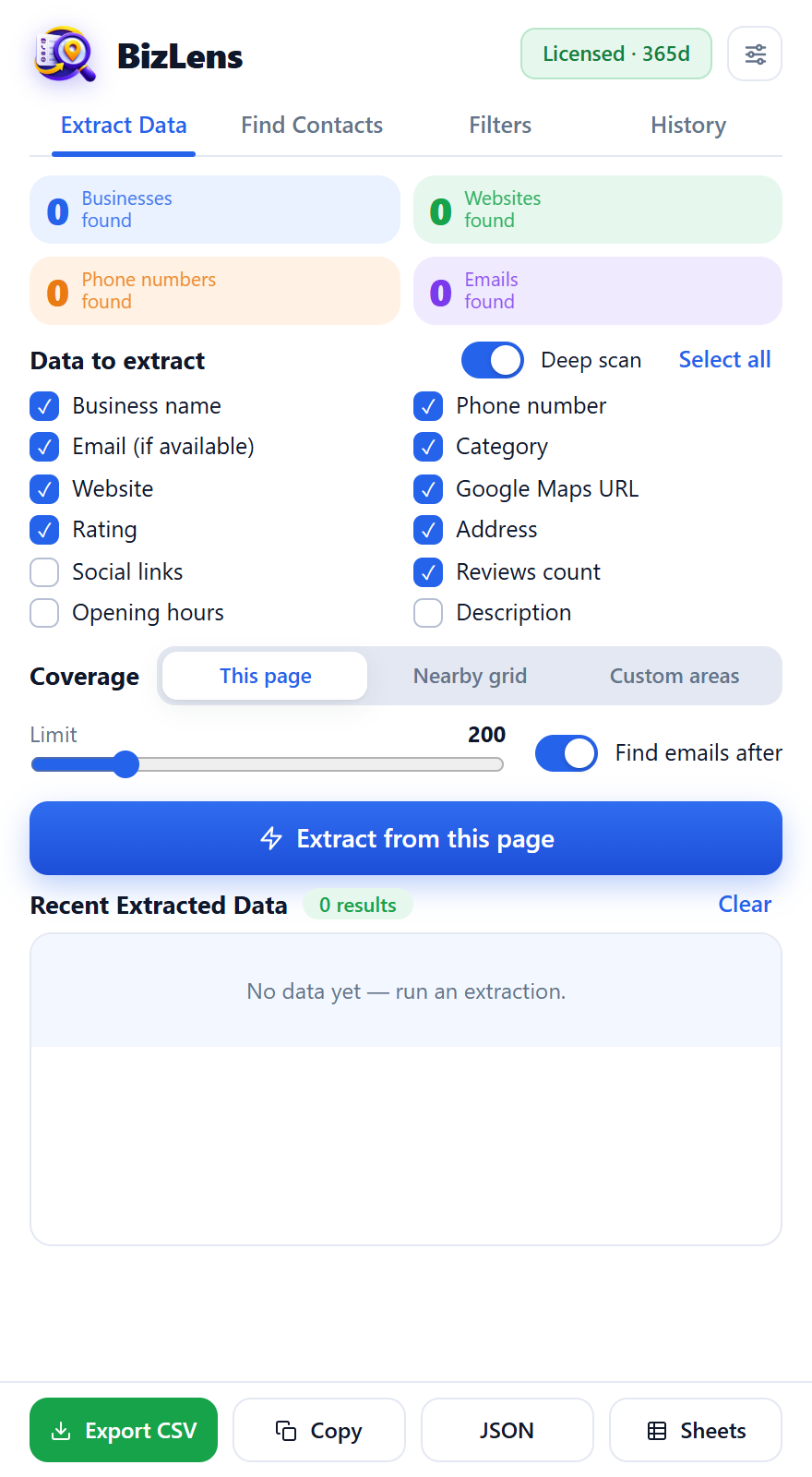
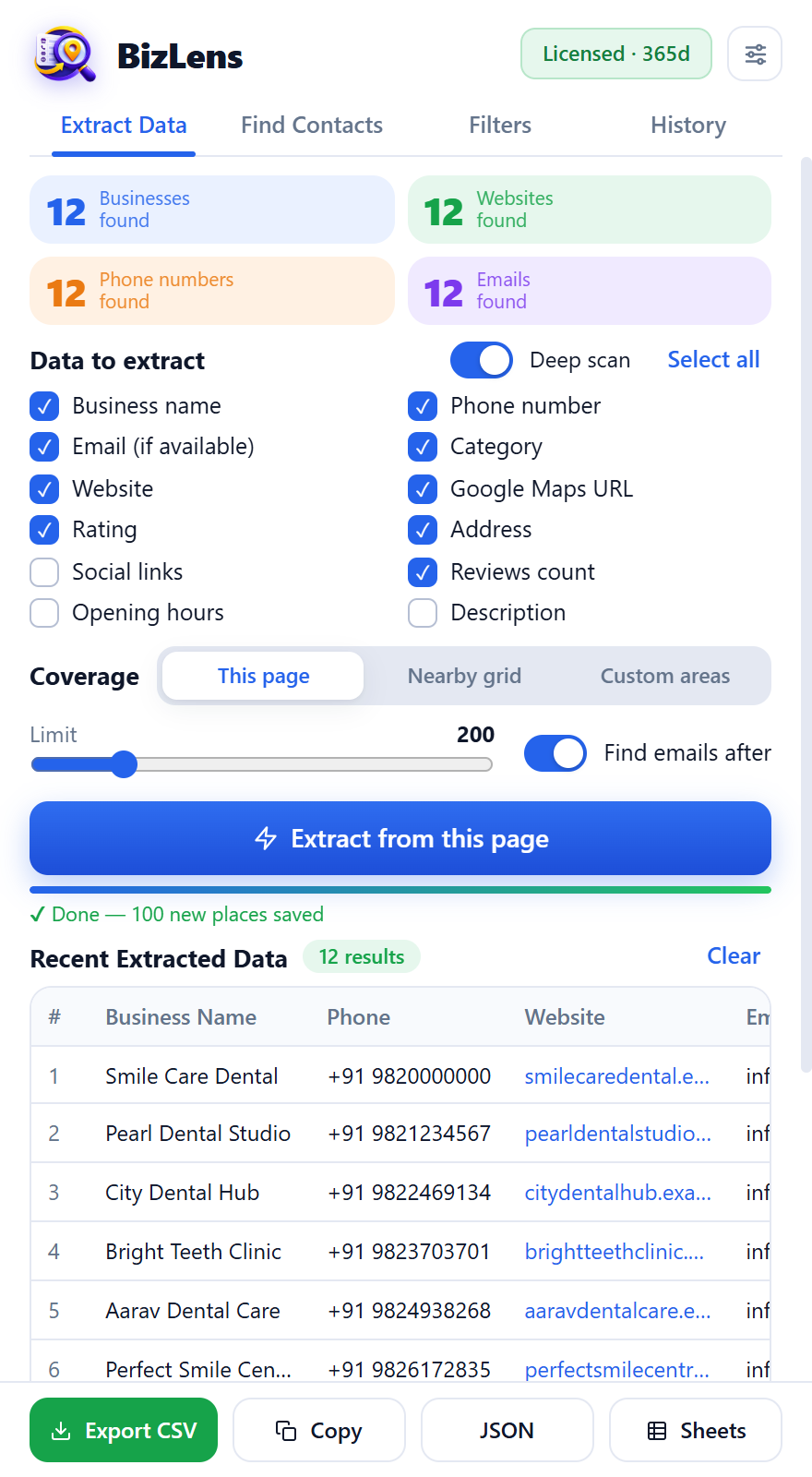
The BizLens side panel (sample data).
Everything you need to build a lead list
From the search to the spreadsheet, in one side panel.
Extract from Google Maps
Search any business type in any city, set how many results you want, and BizLens collects names, ratings, reviews, categories and addresses.
Deep scan details
Opens each listing to capture phone number, website, opening hours and plus code, not just what the result list shows.
Email & social finder
Visits the business website to find email addresses plus Facebook, Instagram, LinkedIn, X and YouTube links.
Go beyond 120 results
Maps stops listing at about 120 places. Nearby-grid and custom-area searches split the area to pull far more.
Filters that save time
Keep only listings with a phone, a website or an email, filter by rating or reviews, and drop duplicates automatically.
Contact cards & history
Click any lead for a clean contact card. Every extraction is saved in history so you can come back to it.
Export anywhere
Download CSV or JSON, copy to the clipboard, or send straight to Google Sheets with your own account.
Careful pacing
Human-like pacing and automatic pause when Google shows a captcha, so your session keeps running.
Your data stays with you
Extracted leads are stored in your browser. They are never uploaded to our servers.
How it works
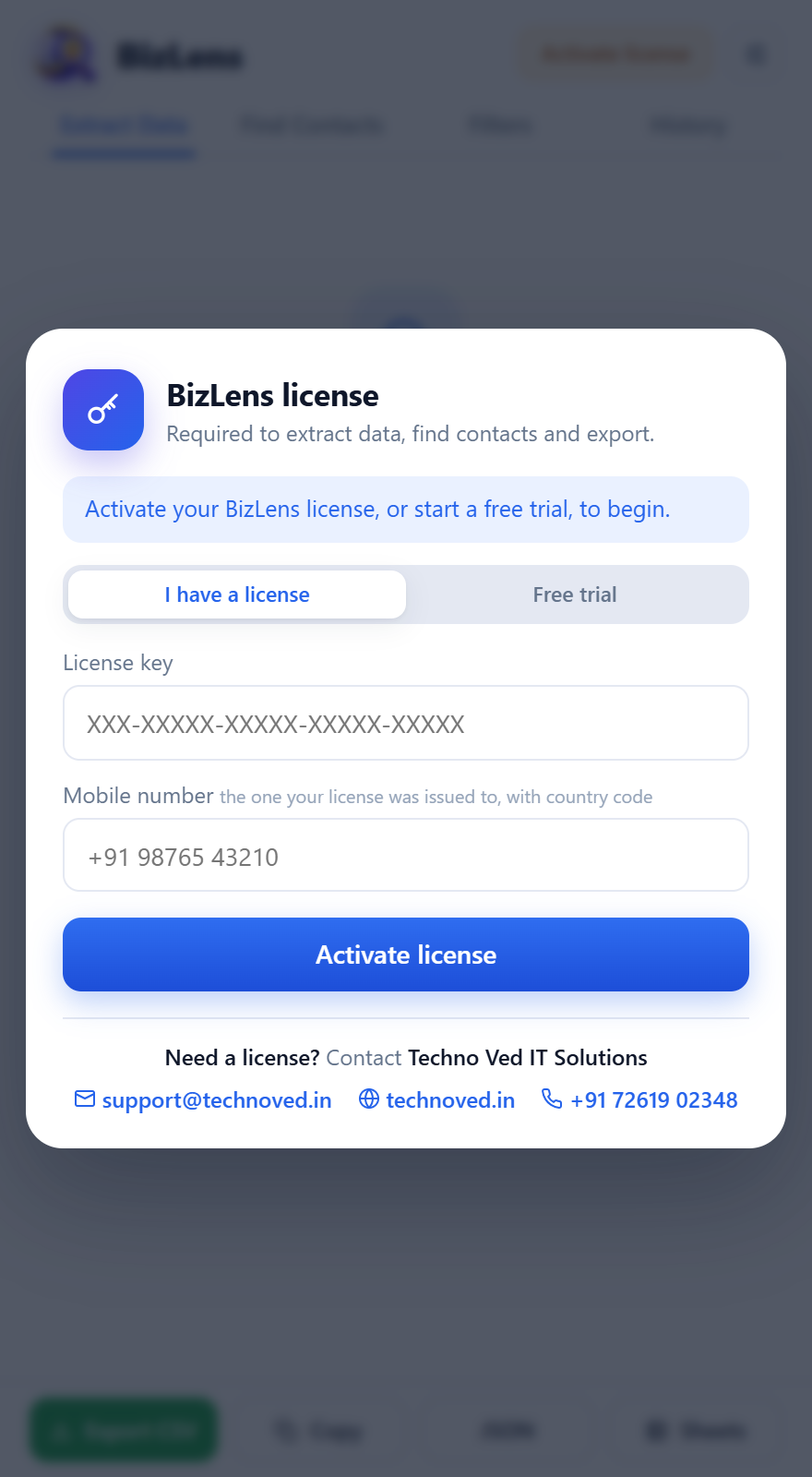
Install & activate
Add BizLens to Chrome and enter your license key and mobile number, or start a free trial.
Search on Google Maps
Search for a business type in any city, open the BizLens side panel and choose what to extract and how many results.
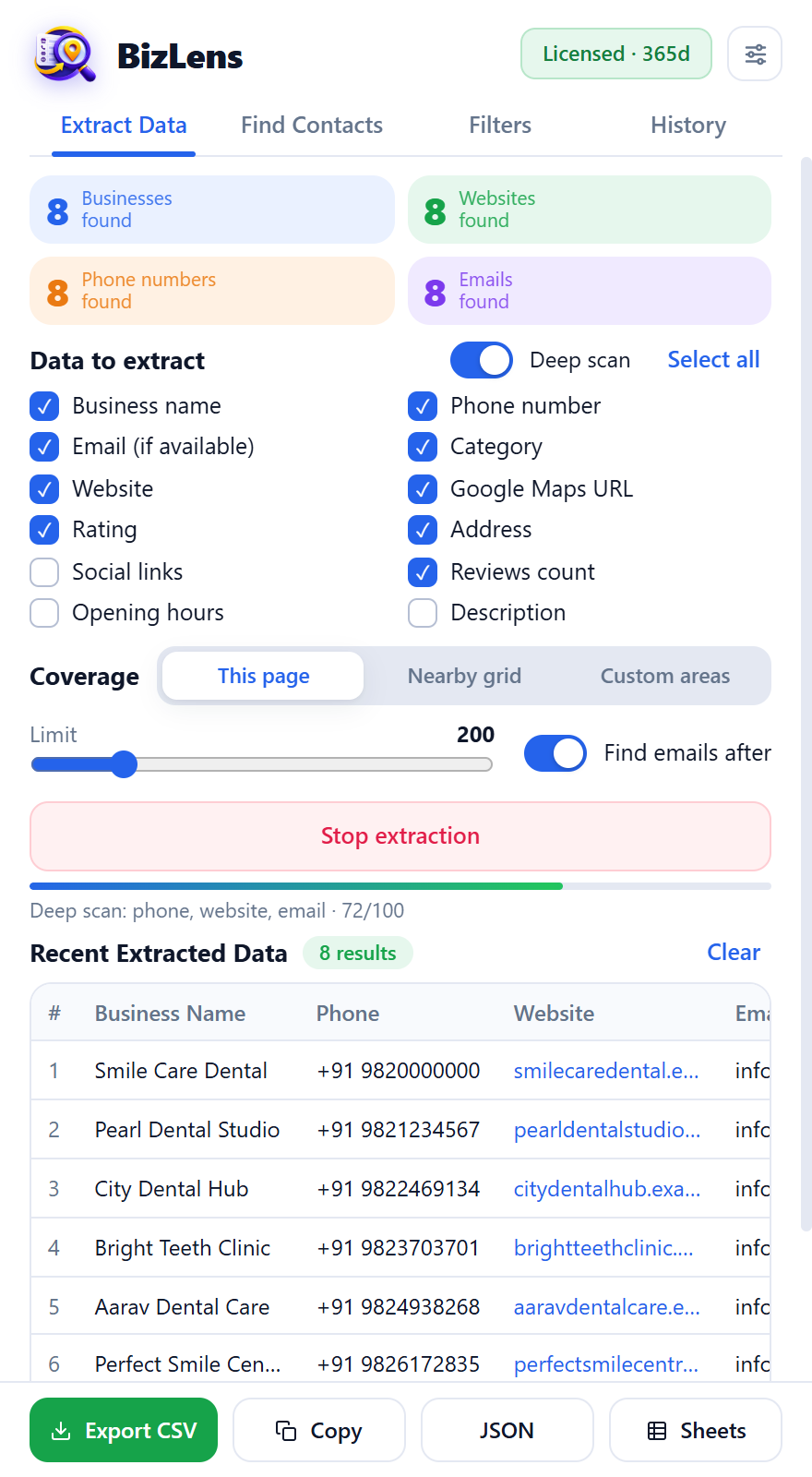
Watch it work
Deep scan opens each listing for phone and website, then the email finder reads the website for contact emails.
Export your leads
Review the list, filter it and export to CSV, JSON or Google Sheets.
Built for people who sell to local businesses
Agencies & freelancers
Find clinics, restaurants, gyms or schools that need your marketing, web or SEO services.
Sales teams
Fill your outreach pipeline with phone numbers, emails and websites by city and category.
Market researchers
Map competitors and suppliers in any area, with ratings and review counts to compare.
Simple licensing
Each license is a key tied to your mobile number. Try it free, then contact us for a license that suits your team.
Free trial
- Instant key, no payment
- Try extraction, deep scan and exports
- Activate in the extension in seconds
Full license
- Unlimited searches for the license period
- Priority support
- Resellers: white-label under your brand
Frequently asked questions
Do I need a license?
Yes. BizLens activates with a license key and the mobile number it was issued to. You can try it first with a free trial.
Where is my extracted data stored?
Only in your own browser. The license server only receives your license details and basic usage information such as device and browser.
Why does the extension ask for access to all websites?
That permission is optional and used only by the email finder to read the contact pages of business websites. Everything else works without it.
How many results can I get?
A single Google Maps search shows about 120 places. With nearby-grid and custom-area searches BizLens combines many searches to go well beyond that.
Is it allowed to scrape Google Maps?
You are responsible for using the data lawfully and respecting Google terms and applicable privacy and marketing laws. See our Terms & Conditions.
Can resellers sell it under their own brand?
Yes. Resellers get a white-label build with their own name, logo and support details.
Ready to fill your pipeline?
Get a free trial key and run your first extraction in minutes.
Start free trial